A CNC controller retrofit changes how a machine is controlled, not just which box is mounted in the cabinet. The controller, the interface board, the drive signals, the parameters, the file workflow and the operator’s routine all move together. Projects that treat the retrofit as a controller purchase tend to finish with a machine that runs but no longer matches its documentation.
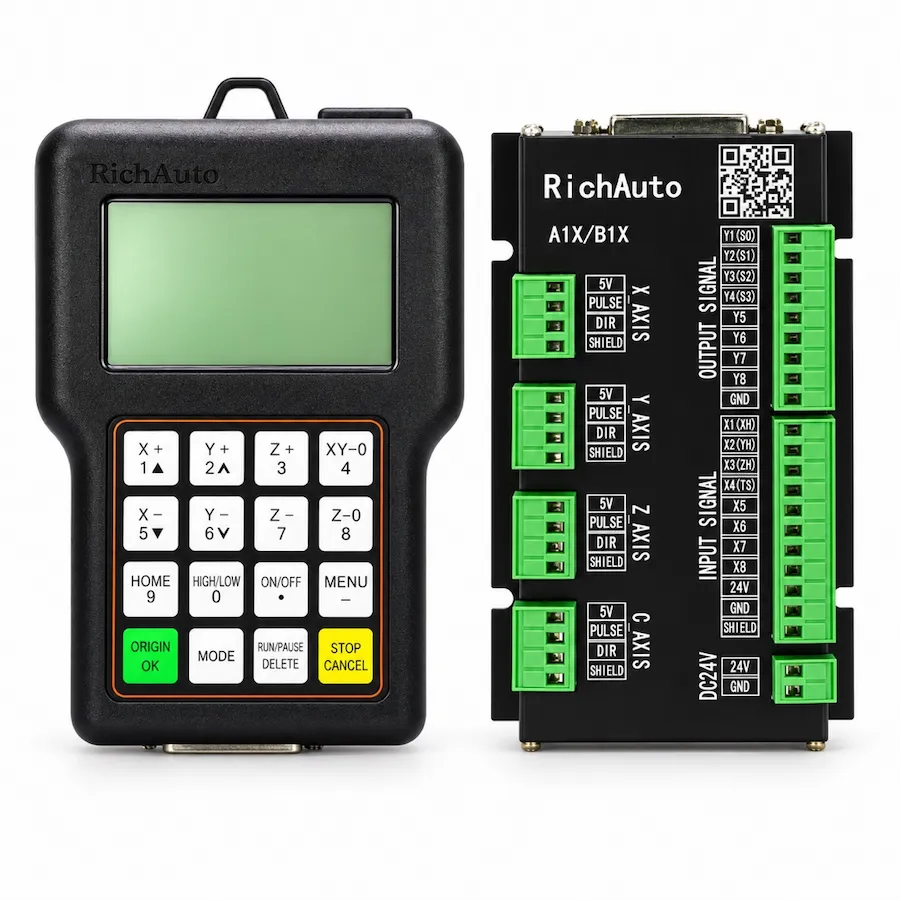
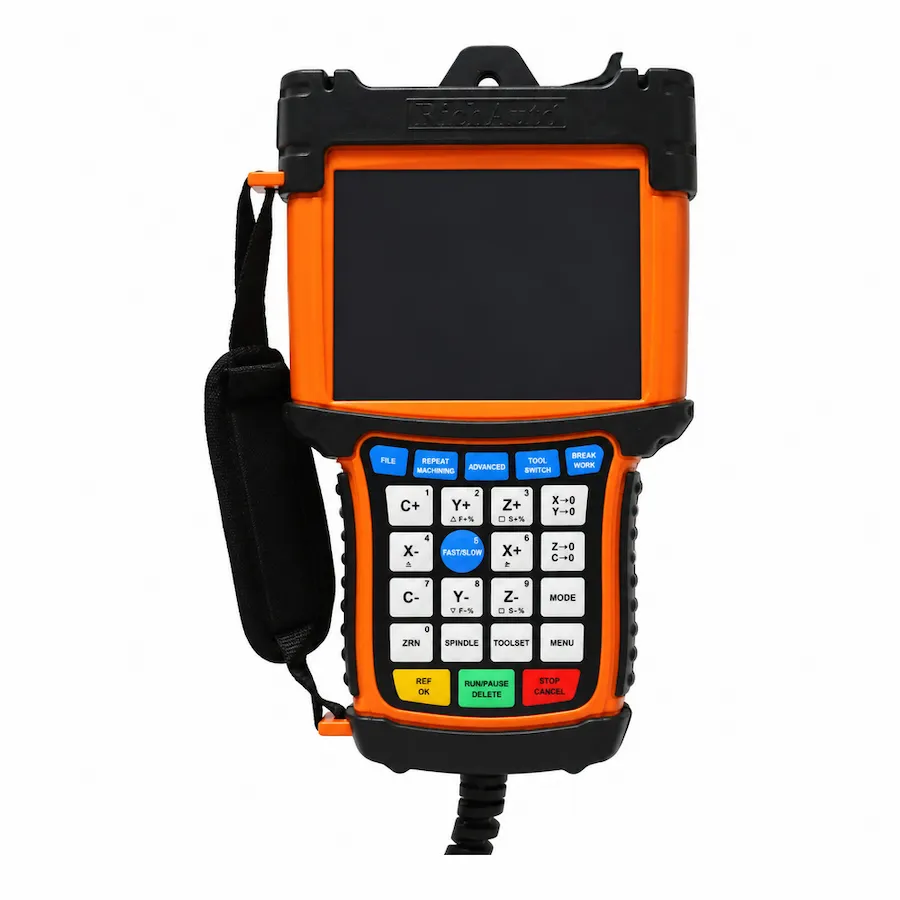
This guide sets out a scope that can be estimated, a sequence that can be verified and the failure modes worth planning for. It applies to routers and similar machines moving to an offline DSP arrangement such as the A11 controller, and to machines adding functions such as automatic tool changing with the B57 controller.
Start With an Interface Inventory
Before choosing hardware, record what the machine already has. The inventory is the document that makes the rest of the project estimable.
Scroll horizontally to read all columns.
| Item | What to record | Why it constrains the retrofit |
|---|---|---|
| Axes and motors | Count, motor type, rated current | Determines the drive arrangement |
| Drives | Model, signal input, enable and fault terminals | Decides whether existing drives can stay |
| Spindle | Control interface and speed command type | Determines the spindle output needed |
| Inputs | Limits, homing, tool setter, safety chain | Establishes the input count and logic |
| Outputs | Dust collection, coolant, clamps, beacon | Establishes the output count and load types |
| Existing control | Controller or PC arrangement, wiring diagrams | Defines what is being removed |
| Enclosure | Space, supply, earthing, filtering | Sets the mechanical and electrical work |
Photograph every terminal block before removing a wire, and label the cables at both ends. The photographs are the fastest way back if a connection has to be checked a week later.
Decide What Stays
A retrofit can keep more than expected. Drives, spindle, motors, sensors and the cabinet often survive; the controller, the interface board, the file workflow and the operator interface are what change.
Three conditions decide whether a drive can stay:
- The drive accepts the signal type the new controller provides.
- The enable and fault logic can be connected and behaves as the controller expects.
- The drive’s condition supports another service period, judged by its history rather than by its age alone.
Keeping a drive that is already marginal moves the next failure into the middle of the retrofit. Replacing a healthy drive because the controller changed adds cost without adding capability. The inventory is what makes that judgement possible.
Confirm the Signal Path
The most expensive retrofit error is a signal assumption. A connector that fits does not define the signal, and a terminal label does not always describe the function.
- Confirm the signal type at the drive: step and direction, analogue command or another arrangement.
- Confirm the common reference between controller and drive, and whether the enable input is sinking or sourcing.
- Confirm the input logic for limits and homing, including whether the machine expects normally closed circuits.
- Confirm the spindle command type and the range the drive expects.
- Confirm the emergency-stop arrangement as a machine safety circuit, not a controller command.
Write the confirmed arrangement down. During commissioning, that record distinguishes a wiring error from a parameter error, which saves hours of guessing.
Define the File Workflow
A control retrofit changes how programs reach the machine. Decide the workflow before the hardware arrives, because it affects the operator’s routine and sometimes the CAM output.
Scroll horizontally to read all columns.
| Decision | Options | What it affects |
|---|---|---|
| File delivery | Removable media, network option | Operator routine and version control |
| Program format | Post processor output for the new controller | CAM setup and test cuts |
| Naming convention | Job number, revision, date | Which file the operator selects |
| Backup | Copy of the running program per job | Recovery after a stop |
| Access | Who can load and edit files | Change control on the shop floor |
The workflow question is often where an offline controller earns its place: the file is prepared on a computer, transferred once, then run without a PC in the path. The DSP vs Mach3 vs NcStudio comparison covers that architectural choice in more detail.
Plan the Downtime
A retrofit stops production, so the schedule matters as much as the wiring. Split the work into stages that can be verified independently.
- Preparation. Inventory, photographs, drive checks, hardware and cable procurement, parameter plan.
- Removal. Document the existing wiring before disconnecting anything; keep the old controller until the new arrangement runs.
- Installation. Mount, earth, power distribution, interface board and cable routing.
- Commissioning. Inputs first, then low-speed axis motion, then spindle, then a test program in air.
- Production trial. A known job, compared against a previous part, before the machine returns to normal work.
Two habits reduce the risk of overrunning: keep the old controller until the new one has run a real job, and schedule the commissioning with the operator present. A retrofit verified only by the installer is a retrofit that has not been verified.
The schedule should also name who signs off each stage. A retrofit that is “finished” when the installer leaves has not been accepted by the people who will run it; the operator’s test cut is the check that matters.
Commissioning Sequence
Commission in the order that isolates faults.
- Power the control circuit without enabling motion, and confirm the display and the input states.
- Confirm each input changes state when its sensor is triggered.
- Confirm each axis jogs in the correct direction at low speed.
- Confirm homing and the travel limits.
- Confirm the spindle starts, stops and changes speed through the commanded interface.
- Confirm the emergency stop removes motion and spindle power.
- Run a short program in air, then a known job.
Record the result of each step. The record becomes the machine’s baseline and shortens every future service visit.
Failure Modes Worth Planning For
Three failures account for most retrofit delays, and each has a preparation that reduces the impact.
The drive does not accept the signal. Confirm the signal type before ordering. If the drive cannot be adapted, the budget changes, and it is better to know that during planning.
The parameters are not documented. Axis calibration, spindle settings and homing positions belong to the machine. Record them from the old arrangement before removal, even when the values will change.
The post processor produces the wrong output. Test a known job early. A program that runs without a tool change or a rotary move does not prove the output matches the new arrangement.
A fourth, quieter failure is an incomplete handover. The operator needs to know how to load a file, set the work origin, recover from a stop and record a fault. The replacement checklist covers the wiring evidence, and the buying guide covers model selection once the scope is settled.
A Scope You Can Quote
A retrofit quotation should state the controller, the interface board, the cable set, the wiring work included, the parameter setup, the commissioning steps and what is excluded. Without that structure, two quotes describe different projects and the lower one usually excludes the work that takes the time.
Prepare the inventory, the signal confirmation, the file workflow and the downtime plan first. The hardware choice becomes the last decision rather than the first, which is the order that keeps a retrofit inside its budget.