RichAuto A18, B18 and B58 are all relevant to four-axis and rotary CNC work, but they are different controller platforms. Start with the machine’s fourth-axis arrangement and required machine functions. Then compare the display, I/O, interface board, signal and wiring requirements before selecting a model.
Start With the Fourth Axis, Not the Controller Screen
Four-axis does not mean that every machine uses the additional axis in the same way. A fourth axis can be a rotary axis or another machine-specific motion arrangement. Record how it is connected, how it is identified in the current program and which marking the machine requires before narrowing the controller choice.
Axis count is a useful filter, but it does not establish interchangeability. The existing interface board, drive signals, I/O and wiring remain part of the decision.
A18, B18 and B58 at a Glance
| Controller | Platform and display | Machine-control points to confirm |
|---|---|---|
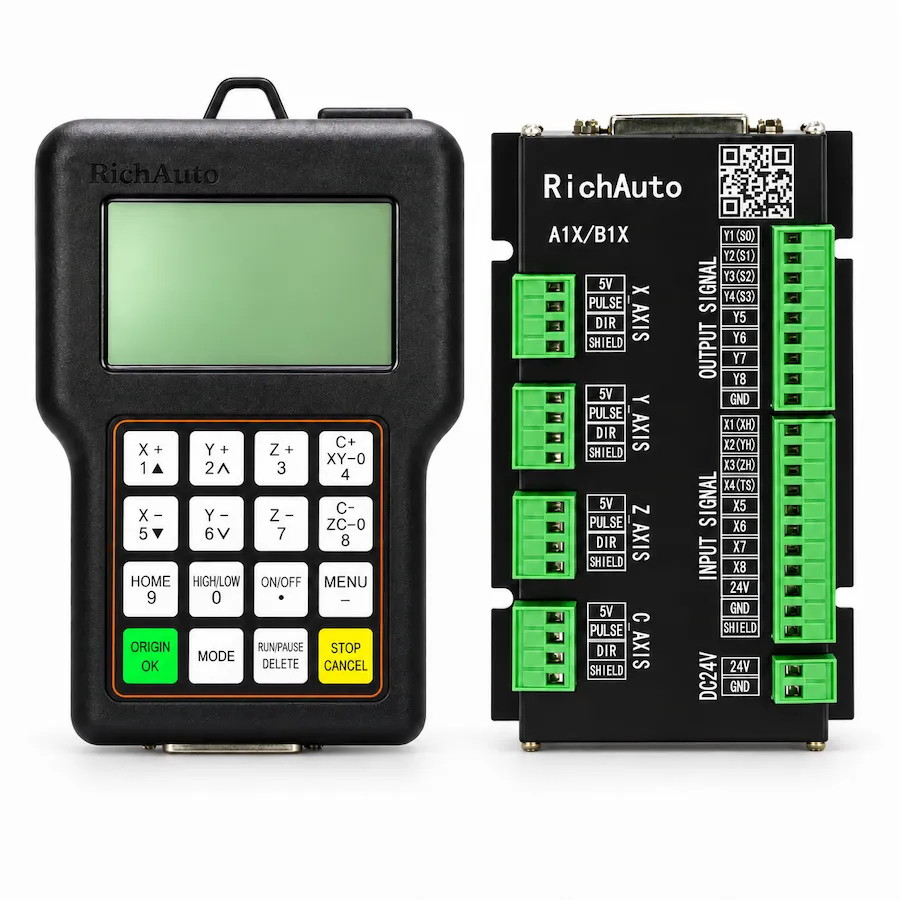
| A18 | A1X handheld platform with a 128×64 monochrome display | Four-axis arrangement, normal or rotary-axis use, A/B/C marking, differential signals and standard 8I/8O interface |
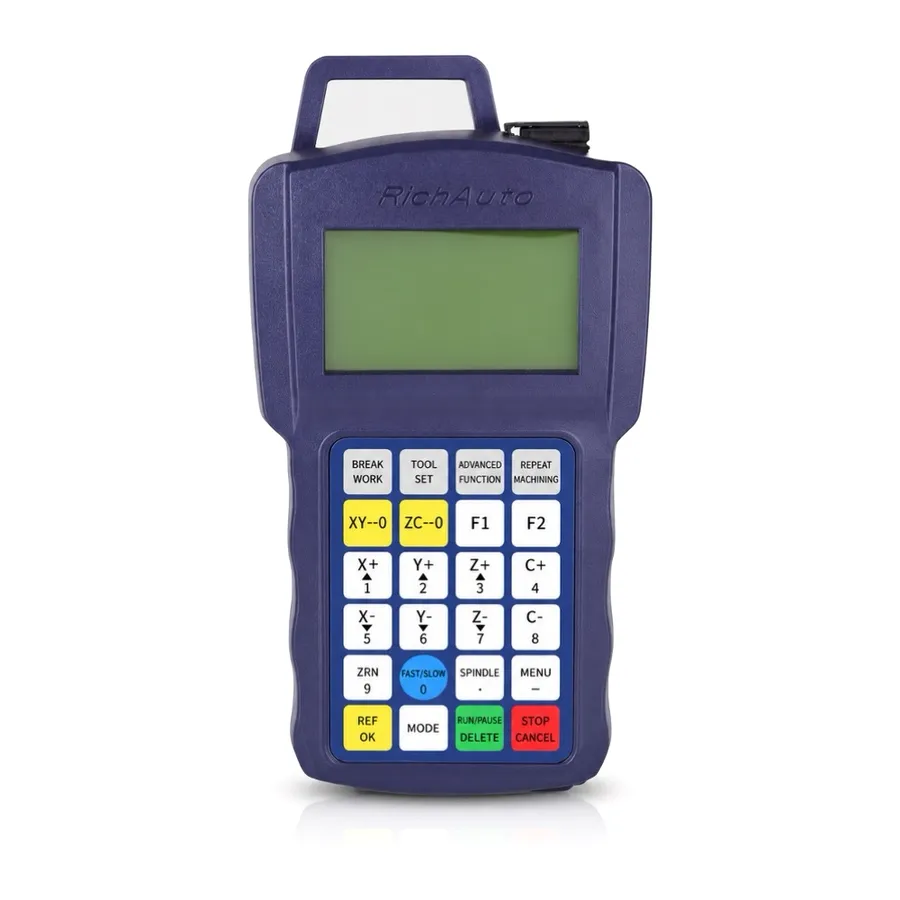
| B18 | B-series handheld platform with a 128×64 monochrome display | Fourth-axis wiring, B-series interface board, I/O indicator use, up to four cylinder requirements and machine signals |
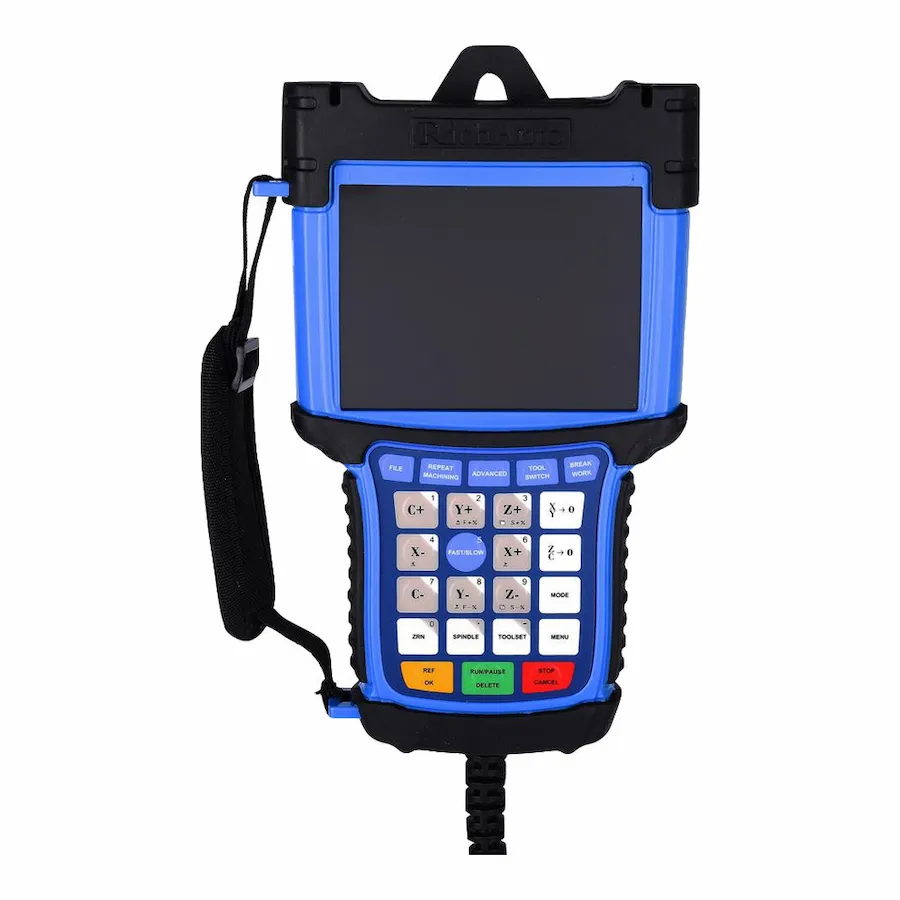
| B58 | B5X platform with a 5-inch color display and graphical viewing | Rotary-axis marking, board version, standard 16I/8O or applicable expansion requirement, and handwheel conditions where relevant |
The table narrows the questions to ask. It is not an approval to exchange one controller for another.
When to Investigate the A18
The A18 is the A1X option to investigate when the machine needs four-axis coordinated motion in a compact handheld DSP format. Current product information describes the fourth axis as either a normal axis or a rotary axis, with A, B or C marking available according to the machine configuration.
This makes the A18 relevant for cylindrical, prismatic and similar rotary-machine work. Before ordering, confirm the rotary marking used by the CNC files, the machine wiring and the differential motion-signal arrangement.
When to Investigate the B18
The B18 is a B-series four-axis handheld platform. Its standard 8-input/8-output board includes I/O indicator lights, which can be useful when checking signal states during commissioning or troubleshooting. Current information also describes multi-cylinder support, so cylinder functions and machine logic should be documented if they are part of the design.
The B18 should be selected because the machine’s requirements fit the B-series platform, not because a similar controller also has four axes. Confirm the fourth-axis connection, board, drives, emergency-stop and limit circuits before ordering.
When to Investigate the B58
The B58 is the color-screen option in this comparison. Its 5-inch display supports graphical simulation and real-time machining-path viewing. Current product information lists a standard 16-input/8-output interface and an optional 16-input/16-output expansion arrangement; handwheel operation is associated with the expanded board and should be confirmed for the supplied configuration.
For a rotary machine, confirm the axis marking and hardware version as well as the board and I/O requirement. A color screen may improve the operator view, but it does not confirm electrical compatibility with an A18 or B18 installation.
Four Checks Before a Rotary Controller Quote
- Describe the machine application. State whether the machine is a router, engraver, cylindrical machine or another configuration.
- Document the fourth axis. Identify whether it is rotary, how it is wired and which axis mark appears in the existing program.
- Record the interface details. Photograph the controller label, board, connectors and relevant drive or I/O connections.
- List required machine functions. Include cylinders, handwheel, display preference, limits, spindle or inverter functions and any special I/O requirements.
Use the 3-axis vs 4-axis controller guide if the machine’s motion requirement is still unclear. For a B58-specific checklist, see the B58 rotary controller guide.
Requesting a Compatibility Check
Send the current controller model, machine type, axis configuration, interface-board photos and wiring details to CINKR. These details are more useful than a controller photo alone when narrowing an A18, B18 or B58 configuration.