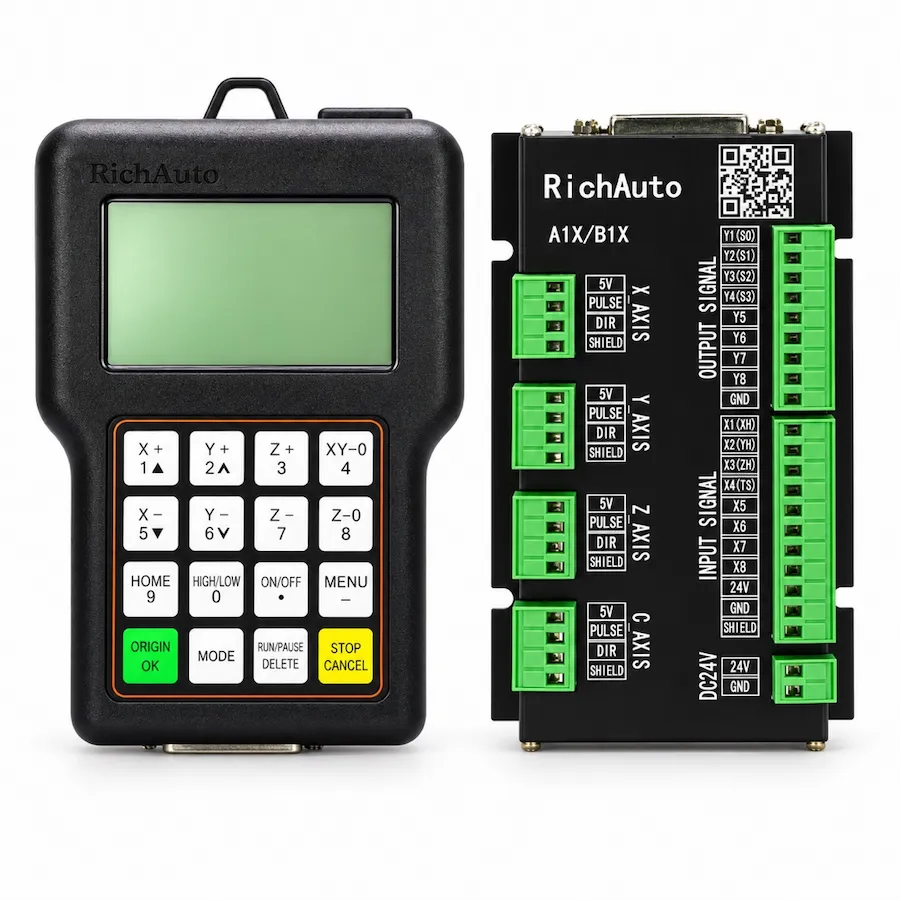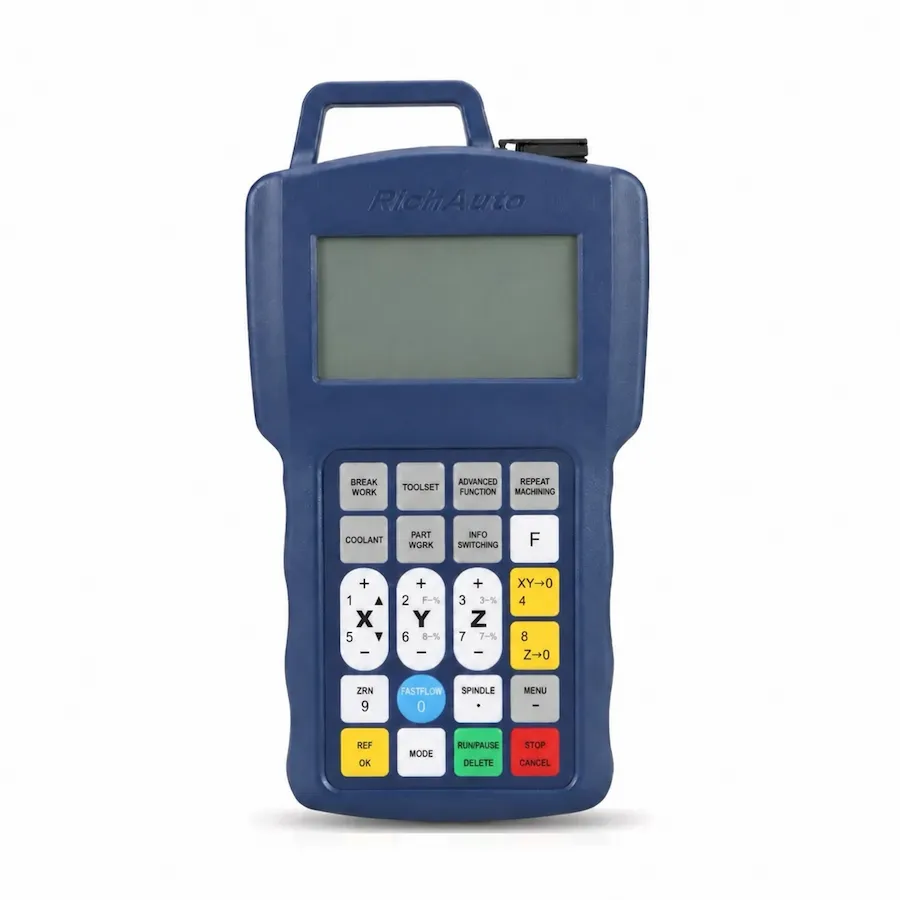
For a conventional three-axis CNC router, choose the RichAuto A11 when a compact handheld controller and offline USB workflow meet the machine’s requirements. Consider the RichAuto B11 when the build needs its larger display, additional standard inputs and outputs, TCP/IP communication or handwheel support. An existing A11 machine also needs an interface review before a B11 conversion: the controller name alone does not establish that the cabinet can remain unchanged.
The useful question is which functions the machine needs to keep or gain. A larger screen will not correct a mechanical problem, and more I/O will not create an automatic tool changer. This comparison covers the current supply configuration offered by CINKR; equipment already installed on a machine can use a different controller or wiring-board generation.
A11 vs B11 at a Glance
Scroll horizontally to read all columns.
| Selection point | RichAuto A11 | RichAuto B11 | What it means for the buyer |
|---|---|---|---|
| Machine architecture | XYZ three-axis routing and engraving | XYZ three-axis routing and engraving | Both belong in the standard three-axis comparison |
| Display | 3-inch monochrome LCD | 4.3-inch display | Compare readability and the operator’s working position |
| Standard I/O | 8 inputs and 8 outputs | 16 inputs and 16 outputs | Count actual connections before choosing |
| Pulse-frequency baseline | 1 MHz | 2 MHz | Check drive requirements rather than predicting cutting speed |
| Current drive control signal | Common-anode | Differential | Match the controller, board and drives as a system |
| File communication | USB flash drive and USB cable | USB and TCP/IP | Decide how jobs will reach this machine |
| Handwheel support | No | Yes | A supported function still needs the appropriate machine connection |
The manufacturer describes these family configurations on its A1X and B1X pages. The three-axis model scope and supply details are available on the A11 product page and B11 product page. Use the board supplied with the proposed controller when checking electrical fit; a specification for the new unit does not identify an older cabinet.
When the A11 Is a Sensible Choice
The A11 suits a router that runs one spindle, uses X, Y and Z, and receives ordinary routing or engraving programs through an offline workflow. If its available connections cover the machine’s home switches, alarms, spindle controls and other required signals, buying extra controller functions may not solve a pressing need.
For example, a small workshop can prepare a job on a separate computer, transfer the machining file and operate the router from the handheld. The deciding checks are the supported program, machine setup and electrical interface. A TCP/IP connection has limited value if no one plans to use it and the established file-transfer routine already works reliably.
An A11 replacement can also be a practical way to restore a familiar operating workflow. Identify the existing handle and board first, because older A11 installations can differ in supply voltage and board generation. Replacing a failed unit with the same model family still calls for a hardware check; preserving familiarity is a reason to investigate an A11, not permission to connect an unidentified unit.
When the B11 Adds Useful Functions
The B11 deserves closer consideration when the new machine needs more standard I/O, handwheel operation or TCP/IP communication. Its larger handheld display may also improve readability for an operator who frequently reviews information at the machine. Compare that benefit in the actual working environment, including lighting, controller mounting and the distance from the cabinet.
Start the I/O decision with a written signal list. Separate home and limit inputs, emergency-stop and alarm inputs, spindle commands and auxiliary outputs. Record whether a signal is currently connected, reserved or planned. A total number is only the first filter: the voltage, logic, function assignment and board connections must also suit the machine.
Check the B11’s interpolation, work-coordinate and recovery functions against the operating instructions for the supplied software. Treat these as capabilities to evaluate against the jobs you run. They do not establish better accuracy on every router. Drive tuning, backlash, rigidity, tooling and the cutting process still influence the finished part.
TCP/IP communication should be assessed as a transfer and connection requirement. It does not turn this handheld controller into a general PC-controlled system or prove that several machines can be managed through one workstation. Specify the workflow you need instead of assuming it from the presence of a network connection.
What the Pulse-Frequency Difference Actually Changes
A pulse-frequency limit describes the controller’s ability to supply position-command pulses. The speed an axis can achieve depends on how many pulses its drive needs for a given distance, as well as the machine’s motor, transmission, acceleration and travel limits. Two machines using different drive settings can therefore need different pulse rates for the same axis speed.
Before making pulse capacity a purchase reason, obtain the drive pulse requirement and the existing machine’s operating limits. If the limitation is vibration, a slipping coupling or poor surface finish, changing the controller’s pulse ceiling alone is unlikely to address the cause. If a machine builder identifies a genuine pulse-rate requirement, that requirement can become part of the controller specification.
This distinction also prevents an unnecessary retrofit. A working router whose commanded motion remains inside the A11’s capacity does not automatically gain useful throughput by changing to a B11. The gain must relate to a demonstrated machine or workflow requirement.
Buying for a New Three-Axis Machine
A new build allows the controller, matching board and drive system to be selected together. First define the machine architecture: one spindle with conventional XYZ motion belongs in this comparison. A rotary axis, automatic tool changer or multi-head mechanism changes the selection question and should be evaluated against the appropriate RichAuto model.
Next, give the builder a functional checklist rather than just a preferred handle. Include required input and output functions, drive interfaces, file transfer, manual positioning and the operator’s display preference. Ask which accessories and connections are included in the proposed supply, especially when handwheel or network functions are important.
Finally, agree how the configured machine will be commissioned. The buyer should receive the machine’s parameter records and usable wiring information. That makes later replacement easier and helps distinguish a controller issue from a machine configuration issue without starting the investigation from photographs alone.
Should an Existing A11 Machine Move to B11?
Write down the problem that the upgrade is meant to solve. A need for additional inputs, a required handwheel or a different file-transfer workflow gives a concrete reason to compare B11. A blank screen, unreliable spindle or incorrect machining position should first be diagnosed; these symptoms do not by themselves show that the controller architecture is insufficient.
Check three parts of the proposed conversion:
- Controller and board: identify both installed versions and the matching replacement supply. Confirm the power arrangement and connector assignments before disconnection.
- Drives and auxiliary equipment: compare command signals, alarms, spindle control, sensors and any pneumatic outputs. The current A11 and B11 signal baselines differ.
- Machine setup: retain axis settings, home directions, travel limits and relevant operating parameters. Recommissioning requires the correct values for this machine, not a parameter set copied from another router.
Evaluate the complete conversion effort. It can include a matching board, cabinet wiring changes, accessories, parameter setup, commissioning time and operator familiarization. Ask for that scope before comparing quotations. A low controller-only cost is not a useful estimate if the intended change requires other work.
A Short Decision Checklist
Scroll horizontally to read all columns.
| Your requirement | Starting point | Check before deciding |
|---|---|---|
| Conventional offline three-axis routing | A11 | I/O, drive interface and installed hardware version |
| More standard machine signals | B11 | Actual signal assignments and board connections |
| Handwheel or TCP/IP is required | B11 | Included hardware and intended workflow |
| Existing A11 fails but its workflow is suitable | Diagnose, then compare a matching replacement | Failure cause, power and board generation |
| Color-screen operation is the main preference | Compare B11 with B51 separately | Display features and the complete machine interface |
| Rotary machining or automatic tool changing | Review another controller architecture | Required axes or tool-changing mechanism |
For the color-screen comparison, continue with B11 vs B51. For an installed machine, the replacement wiring checklist explains the evidence to preserve. Together, these checks let you choose an A11 or B11 for an identified need rather than treating a higher series number as the whole decision.